
MOBILE OPTIONS
Stake on your phone: add the web app to your home screen
Stake app pros and cons
Advantages
- Add Stake to your home screen without downloading an APK.
- Sports, casino games and your wallet are available from the same account.
Limitations
- The home-screen version still needs an internet connection.
- It is a web app, so it does not install through the App Store or Google Play.
The Stake app uses the mobile website, with an icon you can add to your phone. This is called a progressive web app, or PWA. For Stake.com, the official installation guide describes this option for both iPhone and Android. It gives you access to the sportsbook and casino without an Android installation file.
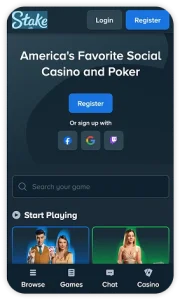
Install the Stake app on iPhone or iPad
- Open Safari and visit the official Stake.com website.
- Open Safari’s Share menu and select Add to Home Screen.
- Confirm the name and tap Add.
- Open the new icon and sign in to your Stake account.
If the option is missing, open the address directly in Safari instead of inside a social-media or messaging app. An APK file will not work on an iPhone. You can also keep using the site in a normal Safari tab.
Stake iOS app: Safari installation and everyday access
The installation described by Stake.com is a web-app route. Safari saves an icon that takes you back to the service, without an Apple store download. Keep the browser updated, and sign into the same Stake.com account after opening the icon. The Apple account on the phone does not create or verify a betting account.
On iPad, the same route avoids searching for a separate tablet installer. Check that the full market label and bet slip are visible in your preferred orientation. If the icon opens an expired session, return to the official login. Recreating the icon cannot resolve an account restriction or an outstanding verification request.
Install Stake on Android
Open Stake.com in your browser, open the three-dot menu and choose Install app or Add to Home Screen. Follow the confirmation prompt. You do not need to enable installation from unknown sources for this method.
The icon is a convenient way to reopen the service; it does not make betting available offline. Our app and mobile-browser comparison explains what changes when a website is saved this way.
Stake Android download: PWA versus APK
With the official PWA method, the browser supplies the installation prompt. You do not open a downloaded APK or allow an unknown website to install software. The service still uses a connection and may store browser data; a home-screen installation should not be described as using no storage at all.
If the installation option does not appear, use Stake.com in an ordinary browser tab and check the browser’s menu. When troubleshooting, distinguish an icon problem from a login problem. If the website opens but the account cannot sign in, use official recovery or support rather than repeatedly changing the installation.
Sportsbook, casino and account access
Stake brings sports markets, live betting and casino games, including Stake Originals, into the same mobile service. Existing customers can use their normal login; the official guide also describes passkey access. The products you can use depend on your account and location.
Before confirming a sports bet, read the market as well as the team name. A bet on the result of one half is different from a full-time result. For live events, review the final odds on the slip because the price may change while you are selecting your bet.
Stake login and passkey access
A passkey, where offered in the account, is a way to sign in using the device’s supported security method. Retain access to the account’s recovery options before changing phones. Do not assume that a passkey created on one device will be available on another without the appropriate device or account setup.
Stake sports markets and casino games on mobile
Choose Sportsbook when you want event odds and Casino when you want games. Those sections use different game and settlement rules. A cash-out multiplier in a crash game is not the same product as early settlement of a sports ticket.
Within sports, expand shortened labels before adding a selection. A match result, handicap and goal total concern different outcomes. For a combined wager, read every required leg and the amount committed. After submission, the accepted ticket is the record to check if a connection or display problem occurs.
Using the wallet on your phone
The wallet can offer cryptocurrency and local-currency payments. Use the methods actually displayed in your account rather than assuming a payment logo means that method is available to everyone.
For a crypto transfer, check the coin, network, address and any minimum shown before sending. Matching the coin name alone is not enough. Our guide to crypto deposits and withdrawals explains these checks in plain language.
Stake deposits and withdrawals: coin, network and account balance
Open the wallet’s deposit instructions for the exact asset you intend to send. Read the supported network and any destination tag or memo required. Copying an address without checking those details is incomplete: the correct coin sent through an unsupported network can still cause a problem.
For a withdrawal, check the destination, amount and displayed fees before confirming. A request marked pending is not evidence that the funds have arrived in the receiving wallet. Retain the transaction reference and inspect account notices when asking support to investigate.
Before registering or accepting an offer
Check whether Stake accepts customers where you live and whether local rules permit the service. A working website or home-screen icon is not proof of eligibility. Use accurate registration details and complete any identity checks requested through the official account.
Read a promotion’s eligible games, spending requirement and expiry before opting in. A displayed bonus is not necessarily withdrawable money. Set a spending limit you can afford before depositing, and contact official support if a payment or account check is unclear.
Stake bonus conditions and alternatives
Read which product the promotion covers and how the reward is paid. A restricted game balance, cashback arrangement and ordinary wallet cash have different uses. Check any opt-in requirement, eligible activity and expiry before taking action.
For comparison, the Bovada mobile review explains another browser-based service and the distinction between its sportsbook and poker access. Our spending limits and responsible gambling guide explains ways to keep mobile access from turning into unplanned play.
Stake app questions
Do I need a separate mobile account?
No. Adding an icon does not create another account. Sign in through the official service with your existing details.
Does the Stake app need updates?
The web version receives changes through the site. Keep your browser updated. If the icon stops opening correctly, try the official address in the browser before removing and recreating the shortcut.
Is this the same as Stake.us?
This guide covers Stake.com. Do not assume that another Stake-branded service has the same app, account, products or eligibility rules.
SOURCES CHECKED
Official operator, app-store and regulator pages used for this review.