
MOBILE OPTIONS
Melbet: iPhone, Android and mobile access
Melbet app pros and cons
Advantages
- Follow live sports and open casino games from the same app.
- Use your existing website account without registering again.
- Sign in with a PIN or fingerprint on supported phones.
Limitations
- Installing the Android APK takes an extra permission step.
- The iPhone download depends on availability in your App Store.
The Melbet app brings sports betting, live events and casino games into one place on your phone. Android users can download an APK from Melbet’s official website. For iPhone, Melbet describes an App Store version, but availability depends on the store country. You can also use the mobile website without installing anything.
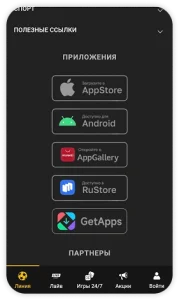
Melbet app download: which version do you need?
An APK is an Android installation file. It does not work on iPhone or iPad. Start from Melbet’s official mobile page and choose the option for your device; a download advertised on an unrelated website is not proof that it is genuine.
Before registering, check that Melbet accepts customers where you live and that you meet the local age requirement. Installing an app does not change where you are allowed to use the service.
Melbet on iPhone and iPad
Melbet’s mobile page directs Apple users to the App Store. Use the iOS link on the official site rather than choosing a similarly named app from search results.
- Open the official Melbet mobile page on your iPhone or iPad.
- Choose the iOS option. If it opens an App Store listing, check its name, developer and device compatibility before proceeding.
- Tap Get and confirm the download when Apple asks.
- Open the app and sign in with your existing Melbet account, or register if you are a new eligible customer.
What if Melbet is missing from the App Store?
The official page’s description does not guarantee that its app will be listed in your store. If Apple says it is unavailable, use the mobile website in Safari where the service is permitted. Do not enter a false billing address or change your account country just to obtain a betting app.
For iPad, check the compatibility section of the actual listing. An iPhone listing alone does not confirm a separate, tablet-designed app. Safari is the alternative if your iPad is not supported.
How to install the Melbet APK on Android
- Visit the official Melbet website and open its mobile-app section.
- Select the Android download and wait for the APK file.
- Open the downloaded file. If Android asks, allow this browser to install apps.
- Complete the installation, then switch that permission off again if you no longer need it.
Keep Android’s security checks enabled. If the phone flags the file as harmful, stop and contact official support rather than ignoring the warning.
Updating the Android app
Follow the update instructions inside the official app. If an update fails or a fresh installation is needed, return to Melbet’s own download page. Avoid old APK archives and files described as modified or unlocked versions.
Melbet login and account access
The app and website use the same account. You do not need to register again when changing devices. If you forget your password, use the recovery option linked to your account instead of opening a duplicate account.
On supported devices, Melbet offers a PIN or fingerprint/face sign-in option. In everyday use, that means less password typing. Keep your phone locked, and never share a recovery code with someone claiming to be support.
Sports betting and casino in the Melbet app
You can browse upcoming matches, open the live section for events already underway and check your bets. Melbet also describes live streams for selected events, alongside slots and live dealer games. A stream is not available for every match.
Before confirming a live bet, read the selection, stake and accepted price on the final slip. A changing score can cause the odds to move or the market to pause. Watching a stream does not guarantee that it is showing the action without delay.
Deposits, withdrawals and bonus checks
Open the cashier to see the options available to your account. Before paying, check the minimum amount, any fee and whether your chosen deposit method also supports withdrawals. Do not assume that a payment option mentioned in another country’s review will appear in your account.
If you choose a bonus, read how much you must wager, which bets count and when it expires. A bonus balance is not the same as cash ready to withdraw. Keep any requested identity checks up to date before requesting a payout.
Should you use the app or the mobile website?
The app is worth considering if you want a dedicated home-screen icon, notifications and the supported quick-login options. The website suits occasional use or anyone who does not want to install an Android file.
Our betting app versus mobile browser guide explains the practical differences. For another service with several mobile options, compare the 22Bet app and PWA guide.
Melbet app not working?
First check your connection, close and reopen the app, and look for an official update. If the problem is only your password, use account recovery. If a payment or bet appears stuck, check its history before submitting it again.
Contact support through the official site if the problem remains. Describe the device, the error message and what you were doing. Never send a password or full payment-card details in a screenshot.
Melbet app FAQ
Is there a Melbet iOS app?
Melbet advertises an App Store version. Check the iOS link from its official website for availability in your store; if it is unavailable, use the permitted mobile website.
Can I install a Melbet APK on iPhone?
No. APK files are for Android, not iPhone or iPad.
Do I need a separate Melbet login?
No. Use your existing website account in the app.
Can I use Melbet without a download?
Yes. The mobile website lets you access the service through a browser, subject to local availability.
SOURCES CHECKED
Official operator, app-store and regulator pages used for this review.