
MOBILE OPTIONS
Pinnacle on your phone: browser access
Pinnacle app pros and cons
Advantages
- Open the sportsbook on a phone or tablet without an app download.
- Save a home-screen shortcut for quicker access to the official site.
Limitations
- The shortcut needs an internet connection; it is not an offline betting app.
- Older Pinnacle Lite download pages do not match the current mobile instructions.
Pinnacle mobile betting works through the official website on iPhone, iPad and Android. Its current help centre says there is no native Pinnacle app in the App Store or Google Play. You can use the site directly or save a shortcut beside your other apps.
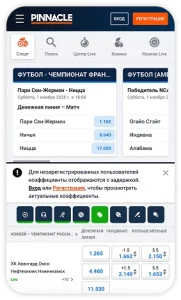
How to add Pinnacle to iPhone or iPad
- Open Pinnacle’s official website in Safari.
- Tap Share and find Add to Home Screen.
- Choose a name for the shortcut and tap Add.
- Use the icon to return to the site and log in.
Do this in Safari itself. A page opened inside another app may not show the same menu. The icon opens the web service; it does not install an iOS sportsbook from Apple’s store.
Pinnacle on Android
In Chrome, open the official site and tap the three-dot menu. Select Add to Home screen and confirm. There is no APK involved in Pinnacle’s published setup instructions.
What about Pinnacle Lite?
Older official pages still describe Pinnacle Lite. For setting up a phone now, follow the current help-centre instructions for browser access. Do not use an old promotional page as proof that a particular app-store download is still supported.
If you want to compare the practical differences, our betting app versus browser guide covers installation, storage and everyday access.
Reading the betting screen
On a small screen, check the full selection before entering a stake. Similar-looking markets can settle differently: match winner, handicap and total goals are separate bets. A favourable-looking price is useful only when you understand what must happen for the bet to win.
For example, a quarter-goal Asian handicap divides the stake between two neighbouring lines. A -0.25 selection splits it between 0 and -0.5. Read the settlement rules before using an unfamiliar line. The SBOBET mobile review covers another sportsbook with Asian handicap markets.
Login, registration and payments
Open the official login page rather than searching for a separate mobile account. If your password fails, use account recovery; repeatedly creating accounts can complicate verification. On a shared device, sign out and avoid saving your password.
Before registering, check the countries accepted by Pinnacle and the rules where you live. If you are asked for identity documents, upload them through the official account process. A home-screen shortcut does not change any account checks.
Before funding the account, inspect the cashier’s deposit and withdrawal options. Check the minimum, any fee and whether your chosen deposit method also supports withdrawals. Keep a transaction reference if a transfer needs to be traced.
Is browser access a good fit?
Pinnacle’s setup suits someone who wants to reach the sportsbook without maintaining a separate installed app. If your priority is a native app-store download, its current browser route will not meet that preference. This is a description of the access method, not a claim about tested speed or payout times.
Pinnacle mobile FAQ
Do I need to download a Pinnacle APK?
No. The current official instructions use Chrome and a home-screen shortcut.
Why is Add to Home Screen missing?
Try Safari on iPhone or iPad, or Chrome on Android, and open the official address directly.
Can the shortcut place bets without a connection?
No. You need an internet connection to access current markets and submit a bet.
SOURCES CHECKED
Official operator, app-store and regulator pages used for this review.